The Best
Chat Experience
Made for Kick
chatrooms, 7TV support, mod tools, notifications, and more. Written in Rust.

No telemetry
No analytics, no crash reporting, no advertising.
No servers
Talks directly to Kick.com and 7TV.
No accounts
Your session stays in a local file on your machine.
01 // screens
Screenshots
Timestamps, badges, emotes, mod events, and more.
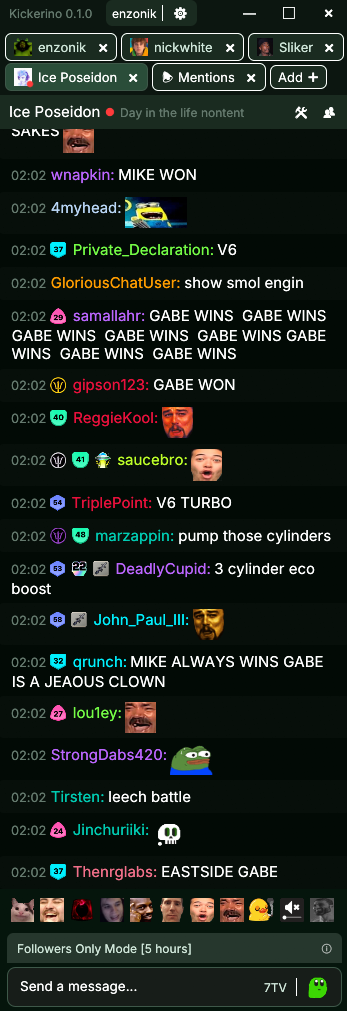
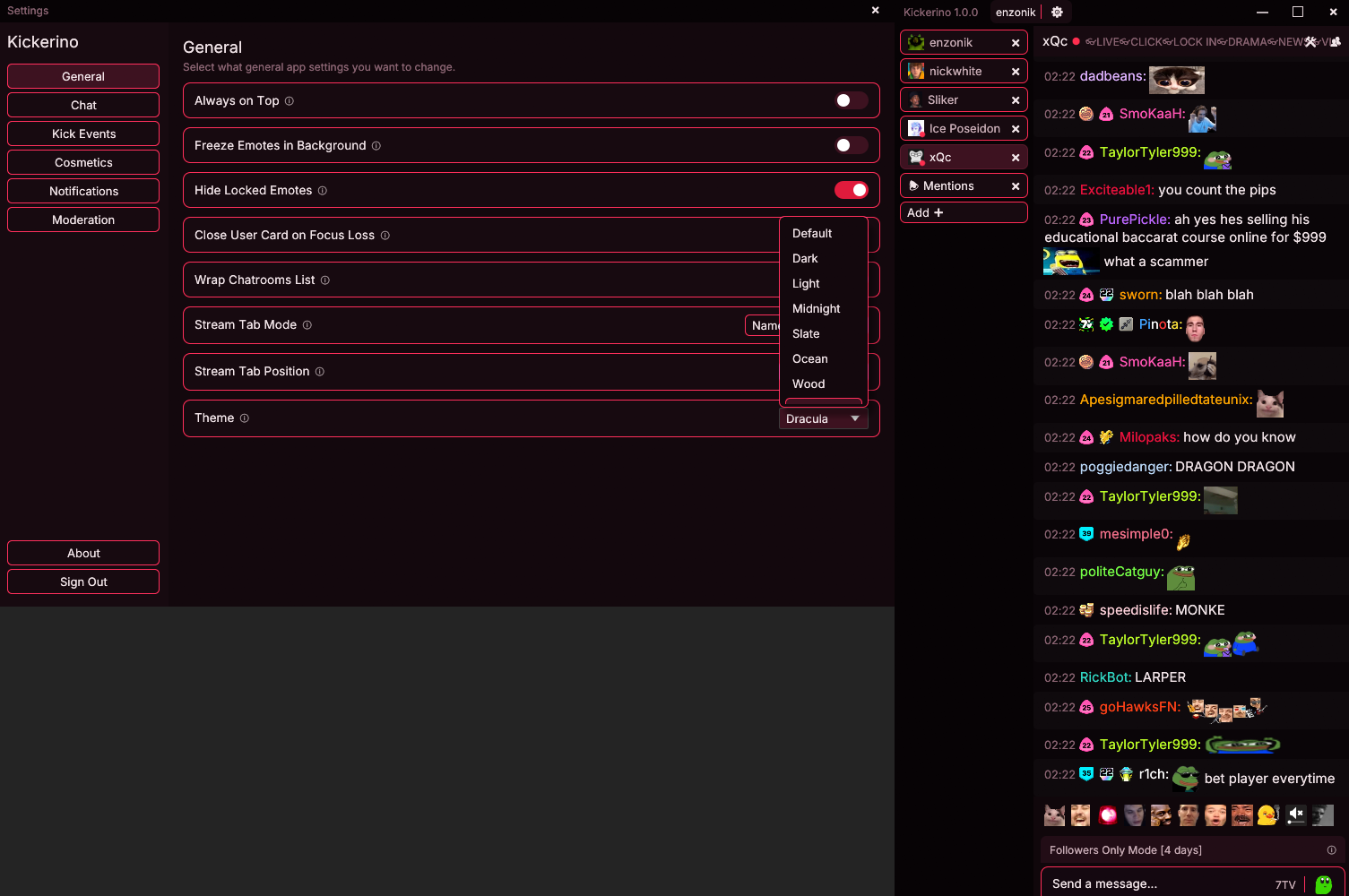
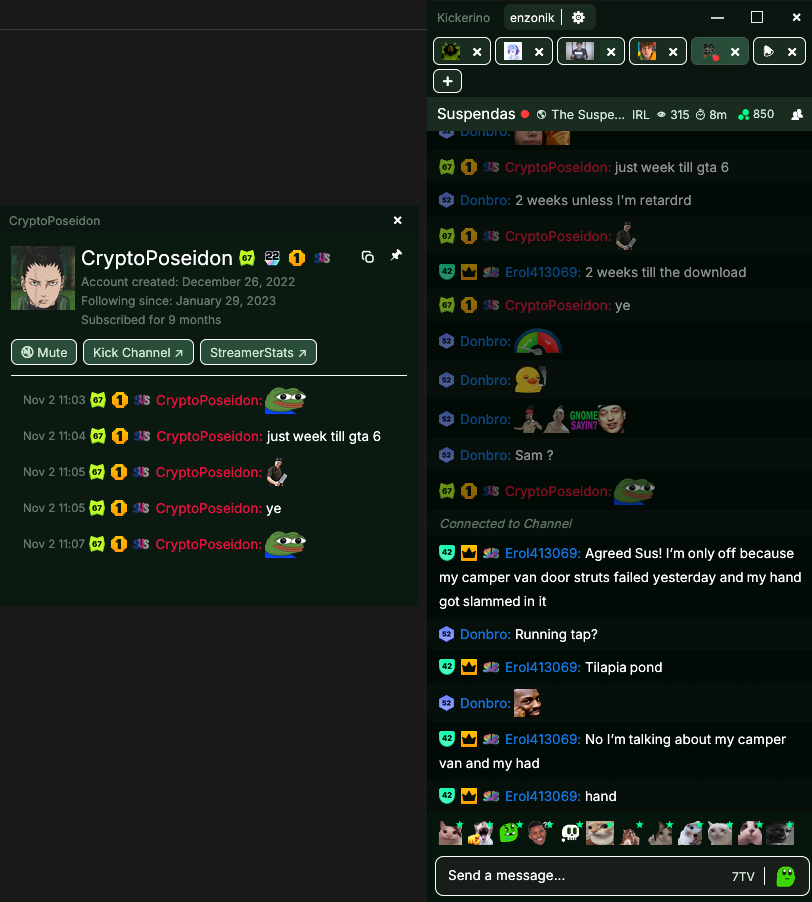
Timestamps, badges, emotes, mod events, and more.
02 // chatters
Everything Kick has.
Plus what it hides.
Native Kick chat features, with 7TV, rewards and moderation visibility on top.
Multiple streams, one window
Up to ten tabs with live status. Every native Kick chat feature works in each one.
7TV built in
Channel and personal 7TV emotes, paints and badges, with :emote and @user autocomplete.
See what Kick hides
Deleted messages stay readable, and bans and timeouts show which moderator acted.
Predictions and polls
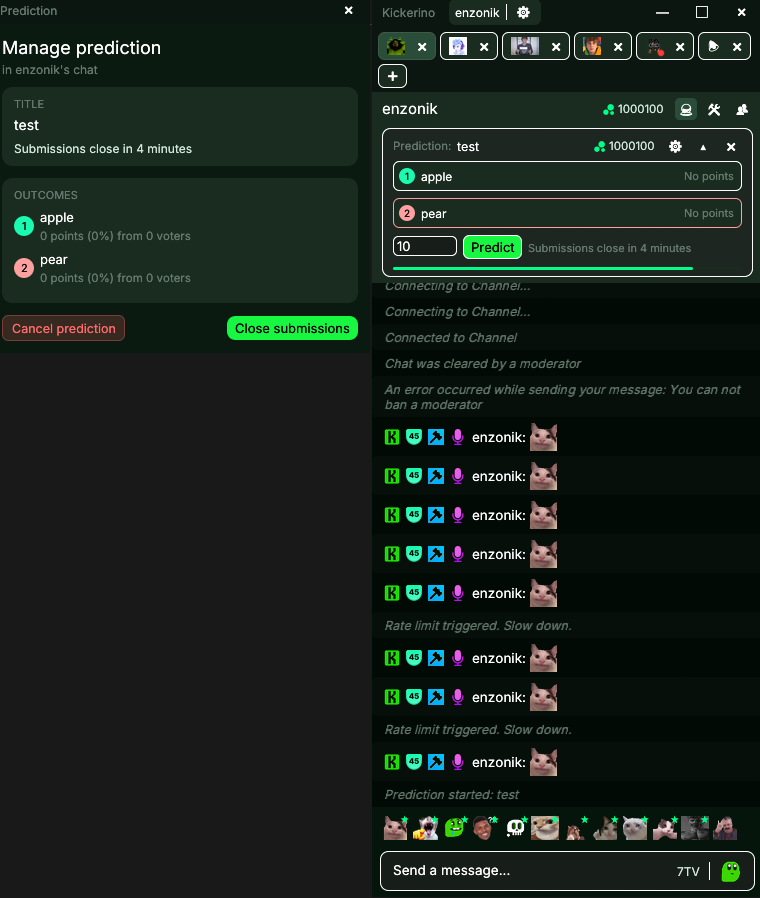
Vote in polls, wager channel points on predictions and redeem rewards without a browser.
Daily chest on autopilot
Auto claim the daily chest, and earn channel points from every live tab.
Pick an outcome to wager channel points
8 themes
03 // moderators
Moderate faster,
with more context.
One click actions, user history and every command, inline with chat. Try the buttons.
Quick actions on every message
Timeout, ban or delete in one click. Timeout length is a slider, not a typed command.
Level badges, always on
Force the Kick level badge on for every chatter, so new and low level accounts stand out.
User cards with chat logs
Recent channel messages, every badge the user owns, and a direct link to their full chat logs.
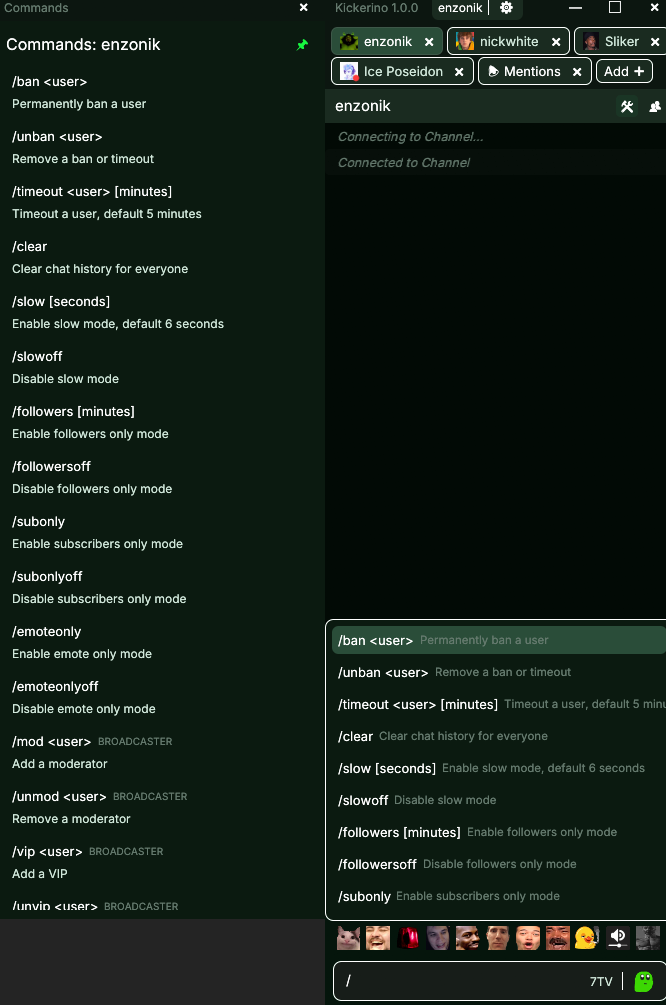
Every Kick command
All moderator slash commands with an autocomplete popup. Start polls and predictions from chat.
04 // streamers
Run your channel
from chat.
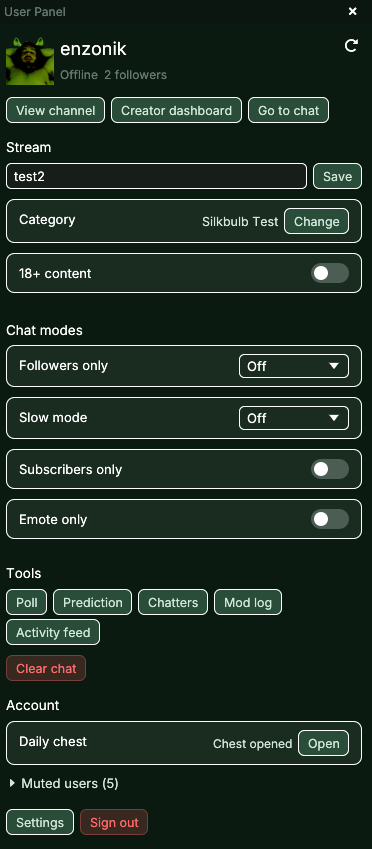
Title, category and chat modes in one panel. No commands, no dashboard.
One click user panel
Manage your entire stream without typing a single command.
Title, category and 18+
Edit the stream title, change category and set the mature label, live or offline.
Chat modes from dropdowns
Followers only, slow, subscribers only and emote only, set with dropdowns and switches.
Polls, predictions and logs
Start polls and predictions, open the mod log and activity feed, or clear chat from the same panel.
Activity inline
Subs, gifted subs, Kicks and channel point redemptions appear in chat, with a searchable activity feed.
enzonik
LIVE1,284 viewers
Stream
Chat modes
Tools
05 // performance
Light on memory.
Up to 80% less.
Memory use compared to other chat clients.
| Moment | Kickerino | Other clients |
|---|---|---|
| Idle | 40 MB | 175 MB |
| Heavy load | 100 MB | 450 MB |
| 10 minutes after | 39 MB | 300 MB |
Representative figures.
06 // commands
Manage everything from one place
Slash command support
Shortcuts
- Add a channel
- CtrlT
- Search chatroom
- CtrlF
- Open settings
- CtrlP
- Refresh emotes
- F5
- Accept suggestion
- Tab
- Send with suggestions open
- CtrlEnter
- Close picker or reply
- Esc
- Close tab or open stream
- Middleclick
- Insert recent emote
- Ctrlclick

06 // download
Get Kickerino
Recommended
Microsoft Store
One click install, automatic updates and no SmartScreen prompts. Windows 10 and later.
Direct downloads are the latest release from GitHub Releases and use Velopack for in app updates. Unsigned builds may show a SmartScreen warning.